The Saient TTS screen
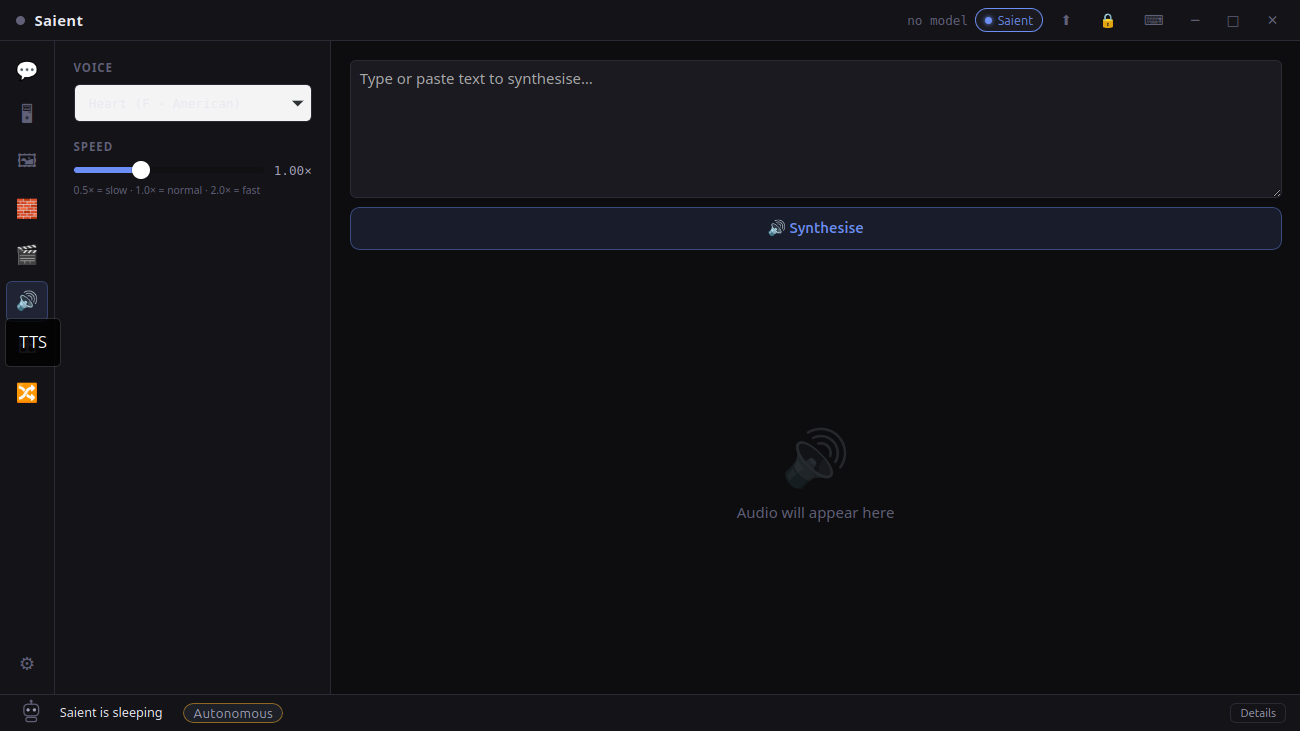
Local TTS in v1.0.4
Captured from the installed application. The output area includes an audio player and Save WAV action after synthesis.
Generate local speech in four steps
- Choose Full setup. The setup wizard installs Kokoro, audio and Python dependencies into Saient's managed environment.
- Select a voice. The built-in fallback list contains six American and four British voices; the runtime can also fetch the voice list exposed by the local integration.
- Write and tune. Paste text and set speed between 0.5× and 2.0×. Use shorter passages first when checking pronunciation.
- Synthesise and save. Preview the local result, then save the WAV to a path you choose.
What is currently exposed
| Accent | Fallback voices in the UI |
|---|---|
| American | Heart, Bella, Sarah, Nicole, Adam and Michael. |
| British | Emma, Isabella, George and Lewis. |
- Model:
hexgrad/Kokoro-82M. - Output: WAV at 24,000 samples per second.
- Speed: floating-point control from 0.5× to 2.0×.
- Language scope claimed here: American and British English—the two language codes actually used by the current UI.
TTS hardware requirements
The helper explicitly disables CUDA and runs on CPU. That leaves GPU memory available to the rest of Saient and means a discrete GPU is not required for this feature. Exact synthesis speed depends on CPU, text length and environment; no universal real-time factor is claimed.
What is verified
The shipped UI, local Kokoro helper, ten named fallback voices, CPU-only environment setting, WAV encoder and 24 kHz output path are present in the current source. The Kokoro-82M repository is also present in the project's local model cache.
Continue from here
- Download Saient v1.0.9 for Debian/Ubuntu amd64 and select Full setup.
- Saient setup and troubleshooting.
- Saient release repository on GitHub.
- Kokoro-82M model card for upstream details and terms.
- Run a local LLM to draft text, or use the Saient agent for local project work.
Turn text into speech without a hosted TTS key.
Saient itself is free. The software and third-party Kokoro model remain separate works under their respective terms.